Detailed add-on information

Complete overview of features, workflows for each reservation type and ordering guide.

Key add-on features

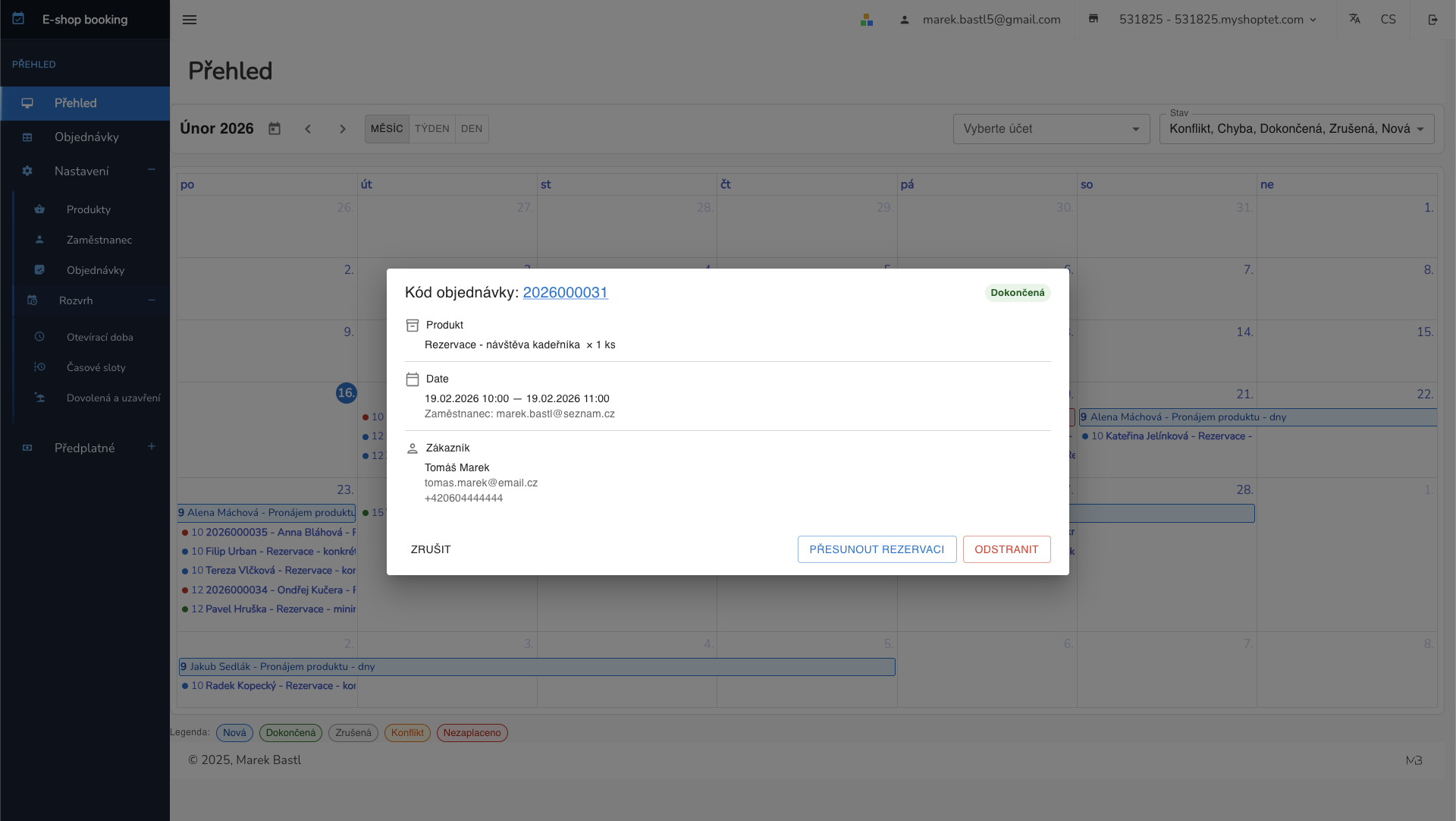
Interactive calendar

  • Daily and weekly views of all reservations
  • Color-coded reservation statuses
  • Quick offline reservation creation from calendar
  • Filter by product or employee
e-shop-booking.cz

Three reservation types

  • Services – time slots with employee selection (hairdresser, massage)
  • Rental – day-based reservations with from-to calendar (cars, equipment)
  • Time slots – slots with capacity for multiple people (courses, events)
  • Each type with its own storefront behavior
e-shop-booking.cz

Administration

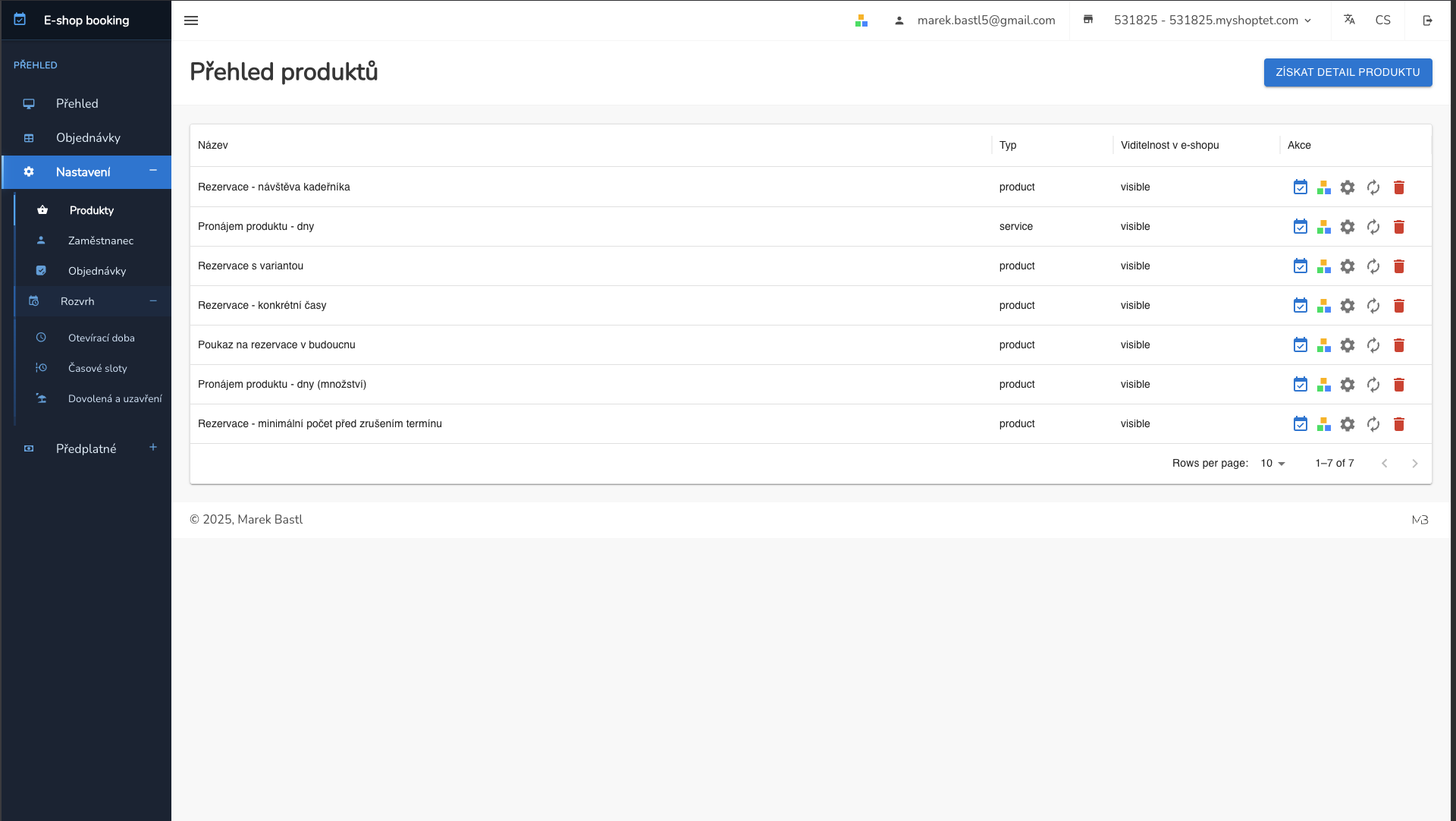
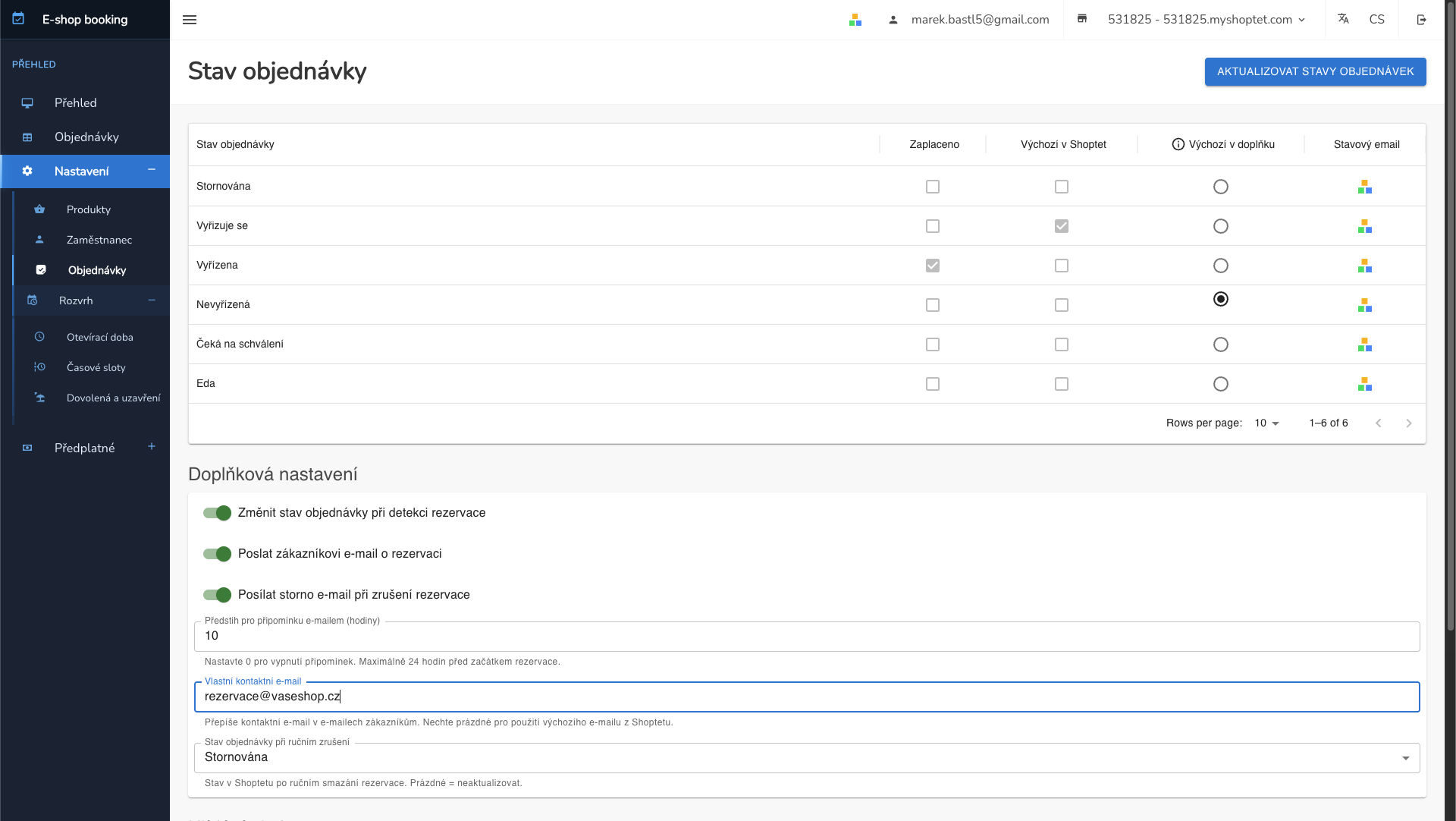
  • Manage reservations, orders and products
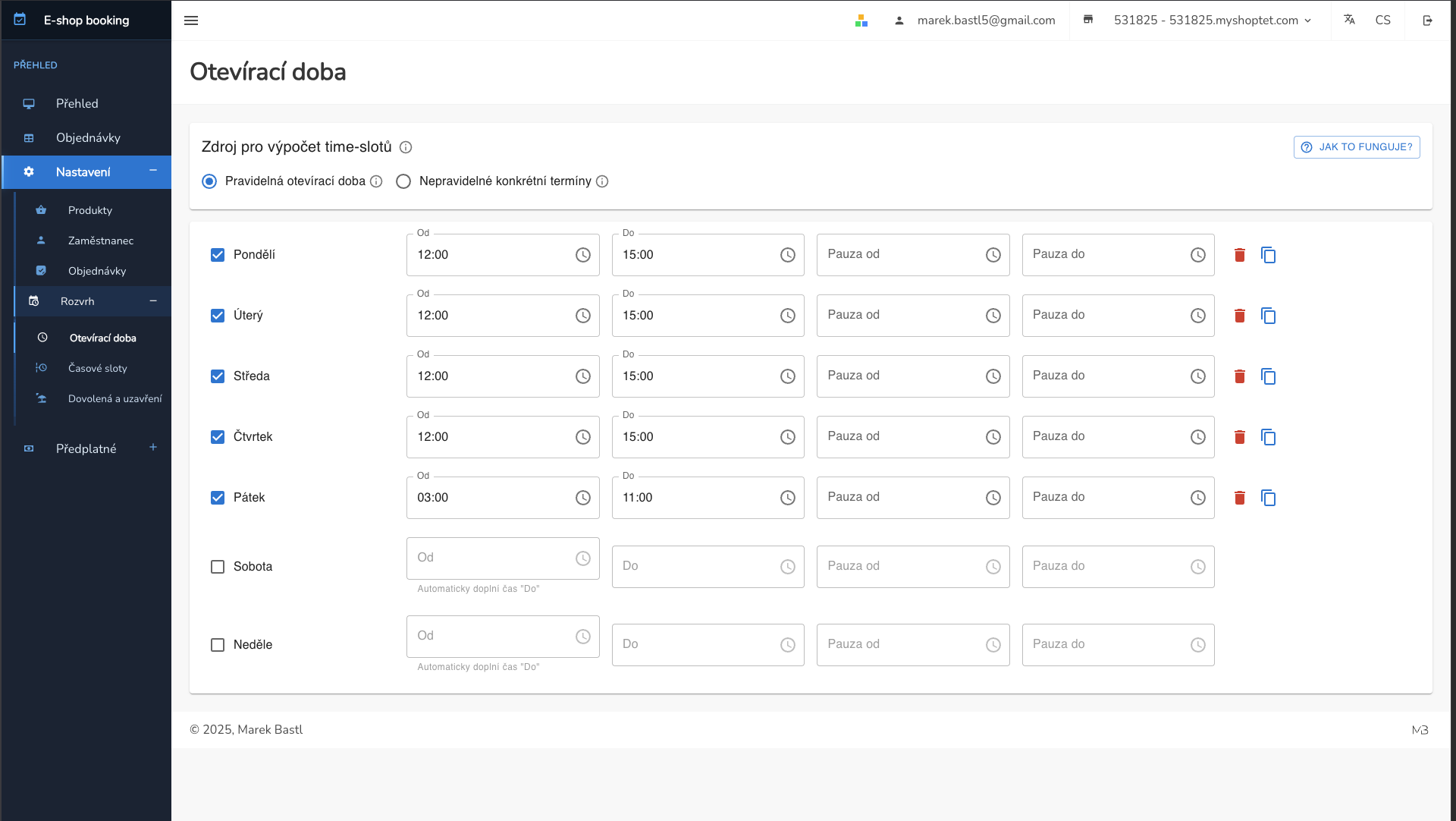
  • Set opening hours and employees
  • Automatic email notifications
  • Manual reservation creation and editing
e-shop-booking.cz

Shoptet integration

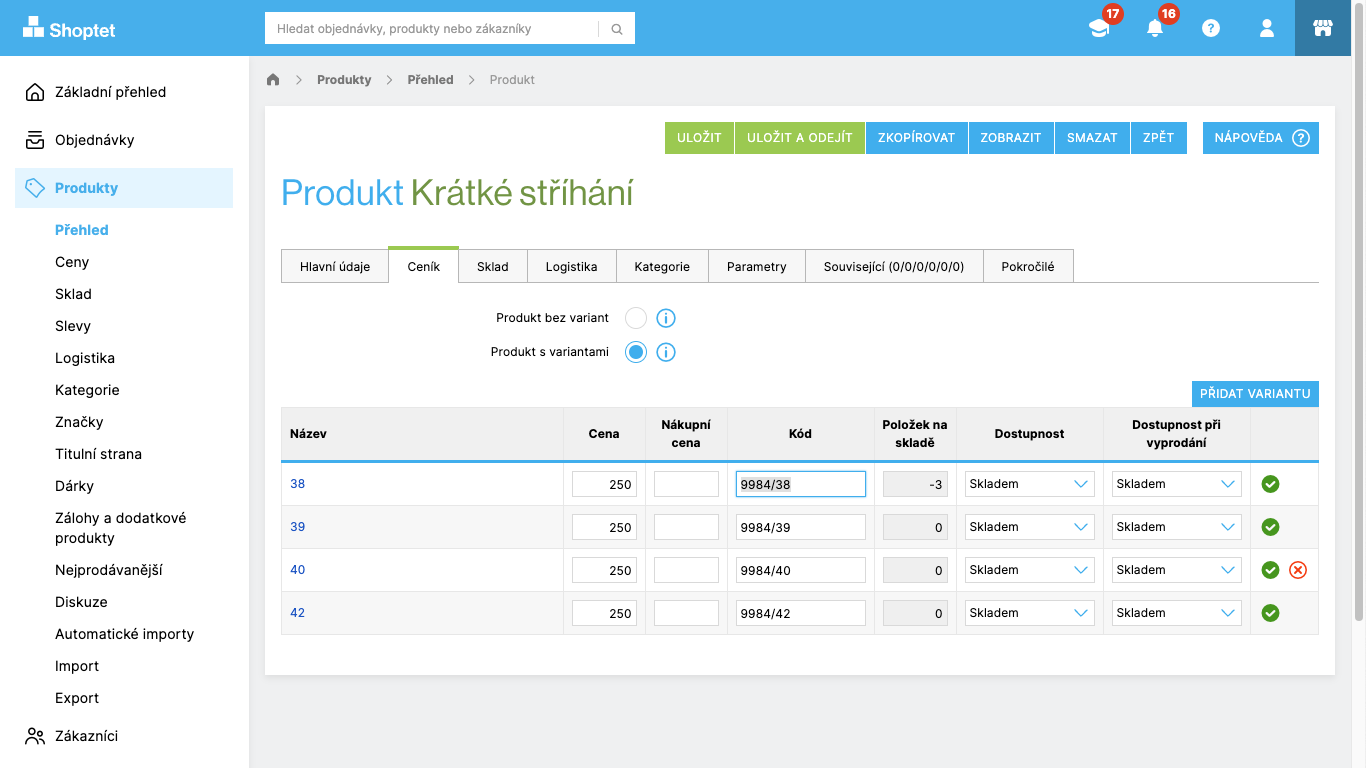
  • Automatic product synchronization from Shoptet
  • Reservation and order matching
  • Webhooks for real-time status updates
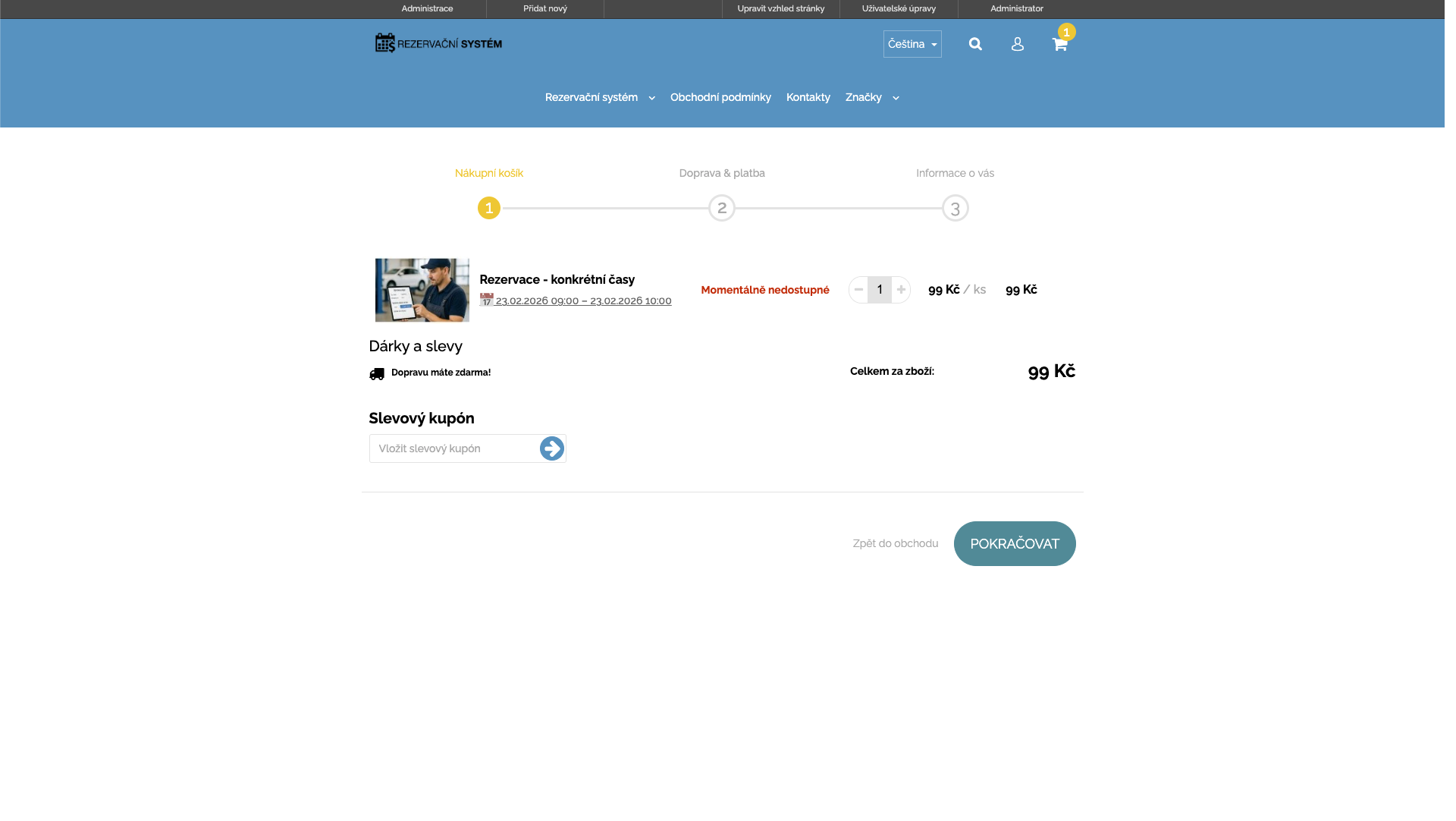
  • Reservation form displayed on the product page
e-shop-booking.cz

How each reservation type works

Detailed workflow for each reservation type from setup to order processing.

1

Choose employee and time

The customer selects an employee and an available time slot on the product page.

2

Order via cart

The customer adds the service to cart and completes the order through the standard process.

3

Automatic processing

The reservation is automatically matched with the order and shown in the calendar. Both parties receive an email.

Administration preview

Overview of main screens in the add-on administration.

e-shop-booking.cz

Calendar

e-shop-booking.cz

Orders

e-shop-booking.cz

Products

e-shop-booking.cz

Opening hours

e-shop-booking.cz

Reservation overview

e-shop-booking.cz

Order detail

Pricing

Basic

300 Kč / month without VAT

  • Automatic reservations (time slots, from–to, opening hours)
  • Auto-matching with order + email confirmation
  • 1:1 and parallel capacities; variant-specific durations
  • In-app calendar; admin-managed cancellations/changes

How to order add-on

1

Order from marketplace

Order the add-on from the Shoptet marketplace. After installation, you will receive registration info at your contact email.

2

Register

After registration, log into the admin panel and set up your products and opening hours.

3

Start accepting reservations

Once products are set up, the add-on is ready. Customers can create reservations immediately.

Ready to start?

Order the reservation add-on and start accepting reservations today.

Order add-on